
Here's a quick guide to the chat program.
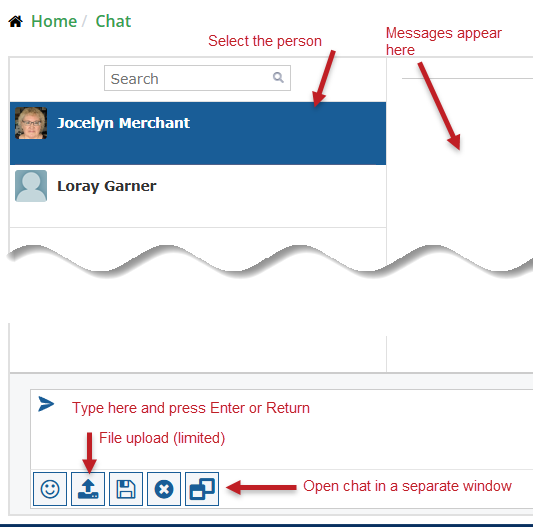
- This is the main Chat window, which you see after you log in. On the left is the list of people who have joined the chat at least once.
- Select a name to begin a chat. After selecting them, you can also open a floating chat window.
- File uploads are permitted but limited to images and text files.
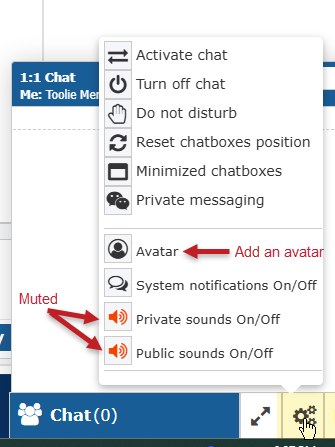
Clicking the Settings icon bottom right brings up several options. We encourage you to upload a small square avatar (100px or less), which will be resized automatically.
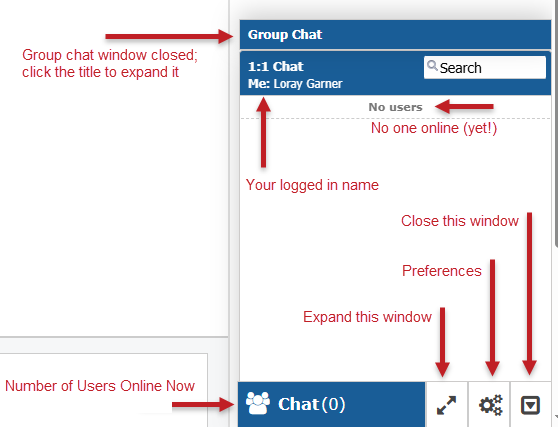
The bottom-right chat window shows whether anyone is online. To open the Group Chat, click on the Group Chat title bar.
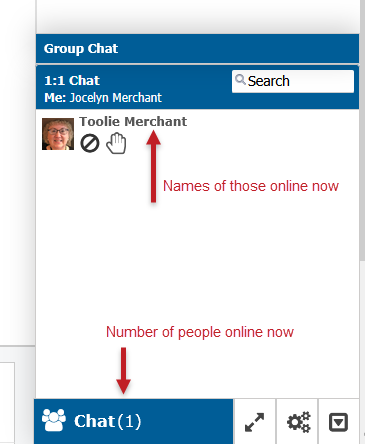
Now you can see that someone has arrived.
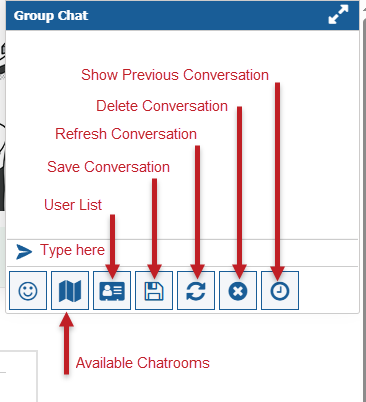
When you click on the Group Chat title, the box expands. Messages entered in the Group Chat are visible to everyone.
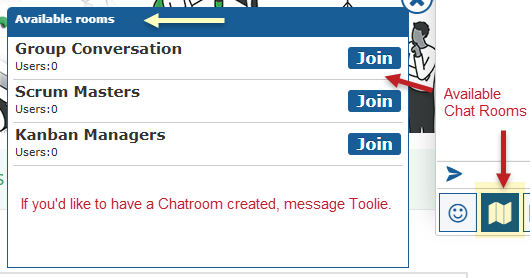
To find existing chatrooms, click on the Map icon. If you'd like to have a chatroom created, send Toolie a private message with your suggestion.